
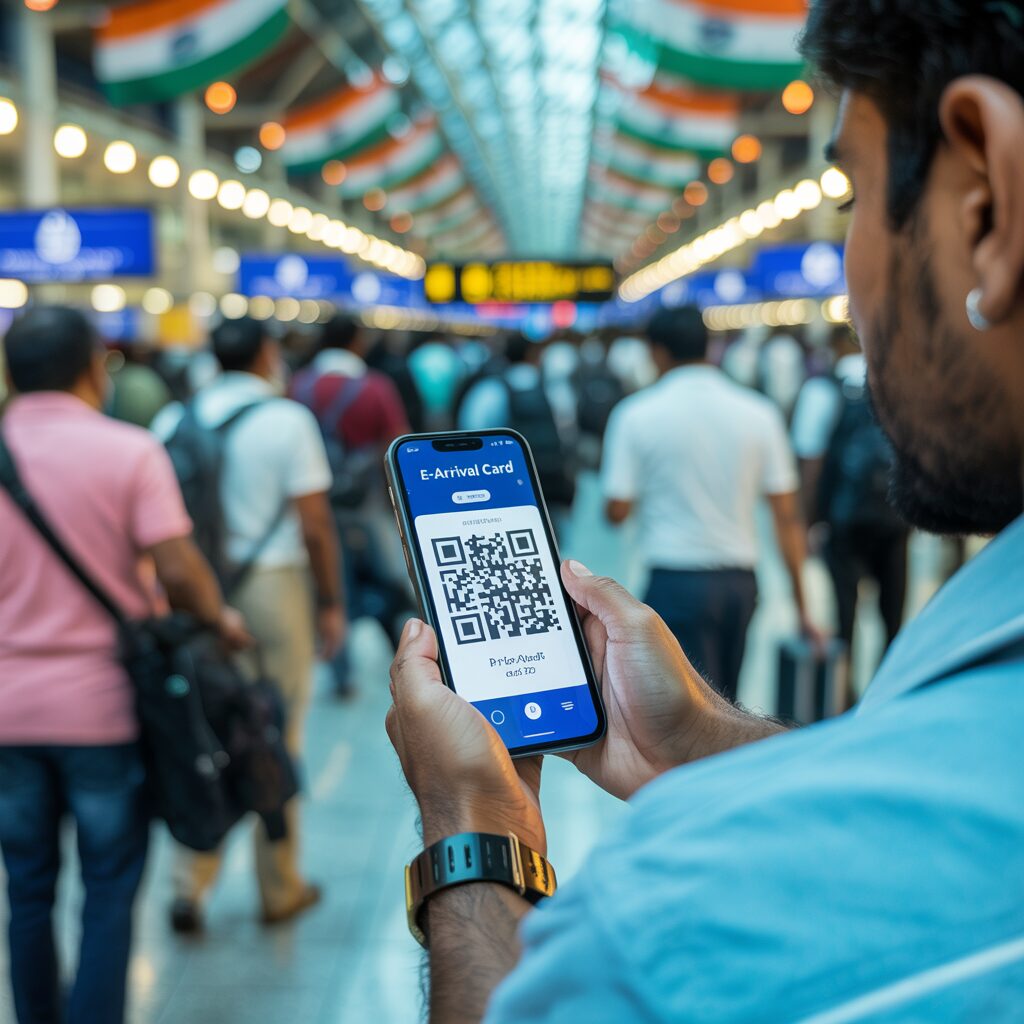
After submitting your India e-Arrival Card at indianvisaonline.gov.in/earrival, you receive a unique QR code instantly. Present this QR code – on your phone screen or as a printed copy – at airport check-in and again at Indian immigration to complete entry. This guide explains exactly how the QR code works and what to do in every scenario.
What Is the e-Arrival Card QR Code?
The QR code is a unique digital confirmation of your submitted e-Arrival Card, linked to your passport number and flight details. It is generated instantly when you successfully submit the form and serves as proof of your digital immigration declaration.
Key facts about the e-Arrival Card QR code:
- Generated immediately after successful submission
- Contains an encoded reference to your e-Arrival Card data
- Linked to your specific passport number
- Unique to each submission – each trip generates a new QR code
- Used by immigration officers to instantly verify your declaration
- Free – there is no charge for the e-Arrival Card or the QR code
The QR code does not replace your visa or OCI card – it is an additional requirement. You must still present your valid passport and visa/OCI card alongside the QR code at immigration.
Where to Show Your QR Code at the Airport
Show your e-Arrival Card QR code at two points in your journey: first at check-in with your airline before departure, then at the Indian immigration counter on arrival in India.
Point 1 – At Departure Check-In (Airline)
When you check in for your flight to India, the airline agent will ask to see your e-Arrival Card QR code. Airlines have been officially instructed by the Indian government to verify QR codes before boarding passengers on flights to India. If you cannot show a valid QR code at check-in, you may be denied boarding.
What to do:
- Have your QR code ready on your phone screen or as a printed copy
- The check-in agent will visually verify or scan the code
- This is a mandatory pre-boarding check from April 2026
Point 2 – At Indian Immigration on Arrival
When you land in India and proceed to the immigration counter, present your QR code to the immigration officer. The officer will scan the code to instantly retrieve your e-Arrival Card data, verify your identity against your passport, and clear you for entry.
The new immigration flow with the QR code:
- Approach the immigration counter
- Hand over your passport
- Show the QR code (phone screen or printed)
- Officer scans the QR code
- Brief verification and standard questions
- Entry stamp and clearance
No paper disembarkation forms are issued or accepted. The QR code is the only valid proof of your immigration declaration from 1 April 2026.
For full details on the e-Arrival Card application, visit the India e-Arrival Card home page.
Phone Screen vs Printed Copy – Which Is Accepted?
Both a digital QR code on your phone screen and a printed paper copy are accepted at Indian airports. The Indian government has confirmed that travelers can present the QR code either digitally or on paper.
| Format | Accepted? | Recommendation |
|---|---|---|
| Phone/tablet screen (live app or screenshot) | Yes | Convenient, primary method |
| Printed PDF from official portal | Yes | Best backup – always recommended |
| Screenshot of QR code (PNG/JPG) | Yes | Acceptable but PDF preferred |
| Email screenshot | Generally accepted | Use PDF download for clarity |
Best practice: Save the QR code on your phone AND print a copy to carry in your travel documents. If your phone battery dies, if you lose signal, or if the screen cracks, having a printed copy ensures you can always show the QR code when required.
To download the official PDF of your e-Arrival Card QR code:
- Go to indianvisaonline.gov.in/earrival
- Click “Quick Fill from Existing Data” or access your submission
- Click “Download PDF” or “Print”
- Save the PDF file to your phone and/or print it
What If You Don’t Have Your Phone at the Airport?
Print your QR code before travel. You can download the confirmation PDF from indianvisaonline.gov.in/earrival at any time using your passport number – there is no expiry on retrieving your submission.
Travelers without a smartphone or without access to their phone can use the printed QR code. The printed copy is just as valid as the digital version at both check-in and immigration.
How to get a printed QR code:
- Complete the e-Arrival Card on a desktop computer at home before travel
- Download the PDF confirmation
- Print the confirmation page – the QR code will be clearly displayed
- Carry the printed QR code with your passport and other travel documents
Can you print at the airport? Some airports have printing facilities, but do not rely on airport printing services. Complete the e-Arrival Card and print your QR code before leaving for the airport. The form can be completed up to 72 hours before your arrival in India.
Read our complete e-Arrival Card application guide for step-by-step instructions.
How to Retrieve Your QR Code If You Lose It
Retrieve your e-Arrival Card QR code at any time using your passport number on the official portal – the “Quick Fill from Existing Data” feature allows you to access and re-download your QR code.
Steps to retrieve a lost QR code:
- Go to indianvisaonline.gov.in/earrival
- Click “Quick Fill from Existing Data”
- Enter your passport number and country of nationality
- Your most recent submission will be displayed
- Click “Download PDF” to download your QR code again
- Save and/or print the new copy
The QR code itself does not change when you retrieve it – it is the same code generated at the time of your submission. You can retrieve and re-print it as many times as needed before your travel date.
What If the QR Code Doesn’t Scan?
If the QR code fails to scan at check-in or immigration, the immigration officer can look up your submission manually using your passport number. The e-Arrival Card data is stored in the government database and accessible by passport number.
What to do if your QR code doesn’t scan:
- Remain calm – manual lookup is a standard fallback
- Inform the officer that you have submitted the e-Arrival Card
- Provide your passport number for manual verification
- Have a printed copy as a backup (officer can attempt to scan the printed version)
- Ensure your phone screen brightness is high when scanning digital codes
Scanning failures are usually caused by a dirty screen, low brightness, or a screenshot with reduced resolution. For best scanning results, ensure your phone screen is clean, brightness is at maximum, and hold the phone steady.
Does the QR Code Expire?
The QR code is linked to your specific e-Arrival Card submission, which is tied to your arrival date and flight number. If you change your travel plans, you must submit a new e-Arrival Card with updated details – this generates a new QR code.
Important expiry rules:
- The QR code is valid for the specific arrival date and flight in your submission
- It does not “expire” in terms of when you access it online, but it is only valid for the declared arrival
- If you change your flight or arrival date, submit a new e-Arrival Card (new QR code)
- You can submit the e-Arrival Card no more than 72 hours before your scheduled arrival
For NRI and OCI travelers, our NRI guide covers how to handle multiple trips efficiently using the Quick Fill feature.
For transit passengers, see our transit passengers guide to understand if you need the QR code for your layover.
Frequently Asked Questions – e-Arrival Card QR Code
How do I get the QR code for India e-Arrival Card?
Your QR code is generated automatically after you submit the e-Arrival Card at indianvisaonline.gov.in/earrival or via the Su-Swagatam app. You will see it on screen immediately after submission and can download a PDF copy or retrieve it later using your passport number.
Where do I show the QR code at the airport?
Show your e-Arrival Card QR code at two locations: (1) at check-in when departing for India – airline staff will verify it before boarding, and (2) at the immigration counter when you arrive in India – the officer will scan it for clearance.
Can I use a screenshot of the QR code instead of the PDF?
Yes, a screenshot of the QR code is generally accepted. However, downloading the official PDF from indianvisaonline.gov.in/earrival is recommended as it ensures the QR code is at full resolution and includes your full submission details. Always keep a printed PDF backup as well.
What if I don’t have a smartphone – can I still use the e-Arrival Card?
Yes. You can complete the e-Arrival Card on any computer at indianvisaonline.gov.in/earrival, download the PDF confirmation, and print the QR code. A printed paper copy of the QR code is fully accepted at check-in and Indian immigration.
What if I lose my QR code before traveling to India?
Retrieve your QR code at any time by visiting indianvisaonline.gov.in/earrival and clicking ‘Quick Fill from Existing Data’. Enter your passport number and nationality to access your submission and re-download the QR code PDF.
Do I need to print the QR code or is my phone sufficient?
Your phone screen is sufficient, but printing a copy is strongly recommended as a backup. If your phone battery runs out, you have no signal, or any technical issue occurs, a printed QR code ensures you are not delayed at check-in or immigration.
